10 Ways to boost the Zen of Paint: Suggested improvements in MS Paint
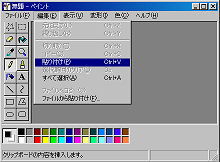
 This is an exercise in 'thinking small'. Take the following as your premise: - MSPaint is not junk. MS Paint should not be thrown out.
Replacing it with "Paint.Net" is to overlook the Zen of Paint. Paint is not a rival to big image editors. It doesn't want to rival them. Paint is quick. Paint is easy. But if Paint were to be improved, what would it take? (More follows...)
I've written a list of features I'd genuinely like to see in Paint.
But first, here's the type of features I don't want to see in MSPaint:
- Red-eye reduction
- Gradient fill
- flood-fill tolerance
- Layering
- Vector Based Graphics
- Custom Brushes
- Filters, e.g. soften/sharpen
- Drop Shadows, Alpha-Blending, smart fill
- A Plug-in Framework
- Animation support
Here's my top ten really simple fixes or improvements for MS Paint.
- Allow Text Entry while in Zoomed modes
The 'font' tool doesn't work while you are zoomed in. This is annoying and makes it hard to place your text exactly where you want it.
- Have a 'Page Setup' button in the toolbar of the 'Print Preview'
'Page Setup' (currently only available from the File menu) includes excellent features such as choosing to scale the image to fill the page, or switch between landscape and portrait. Because of their placement, these options are largely ignored. Make them available while viewing a print preview. You listenin baby?
- Show the line-thickness panel whenever it's relevant
The line-thickness panel is relevant while using these tools: Line, Curve, Rectangle, Polygon, Ellipse, Rounded Rectangle. Yet it is only visible (and configurable) while using the line and curve tools.
- Crop/Trim
Thanks to digital cameras, everyone knows the importance of cropping (or trimming) an image to improve the message. But in MSPaint, Cropping takes a lot of pointing and clicking. It should be as simple as selecting an area and pressing a "Crop" item on the Edit menu.
- More Intuitive Zooming
The 'Zoom' menu (under 'View') has options for 'Normal Size' and 'Large Size', which are actually 100% and 400%. Instead I'd like to see 'Larger' and 'Smaller', allowing you to move right up through the available sizes, without having to choose the 'Custom...' menu. In addition, the mouse scroll wheel should perform zooming (perhaps when 'ctrl' is held down).
- Symmetric Rounding
Both 'Ellipse' and 'Rounded rectangles' suffer from a bug where the shapes created are not symmetrical. This only seems to occur when thicker line styles are used.
- Stretch to Target Dimensions
This is a curious oversight in the Paint experience. You can stretch to a target size in Percent, but not in Pixels. So if you want to resize your image to 32x32, say, you need to reach for your Calc.exe.
- Compression Options for JPG, GIF, PNG
They allow you to save in these formats, so i think they should allow you some degree of control over how the image is compressed.
- More Undo Levels
The 'undo' stack is only three levels deep. I don't need infinite undo (i'm not quite that messy) but at least twenty levels would be good. Unless this slows down the load up time, in which case i think i could, begrudgingly, accept just seven.
- Squares and Circles
Okay -- this one is way out there, and might involve someone writing some actual code... In addition to rectangles and ellipses, it would be handy to have squares and circles.
'Michael Buckbee' on Fri, 17 Feb 2006 04:52:31 GMT, sez: From my personal use and observations, the number one thing I see people using Paint for is to make screenshots.
This being the case, I'd suggest that Paint have an option to "Paste as New Image". It would allow for instant creation of clean screenshot images.
Even better would be for some dedicated screenshot tools built in, but anything would be an improvement.
'mike' on Fri, 17 Feb 2006 05:21:33 GMT, sez: Excellent suggestions -- some, like text entry in zoomed mode, have annoyed me for years, but it hadn't occurred to me that Paint could be improved with fixes for these. I'd also like to be able to resize by dragging (not just resize the canvas), with an aspect constraint (CTRL+drag?).
A Visio-like ability to be able to move a hunk o' text around would also be cool, but ok, let's not get greedy.
'Chris' on Fri, 17 Feb 2006 08:36:05 GMT, sez: You make some good points: Quality over quantity, however, I would still feel to restricted with such a small feature set. I think layers (with lock) and Layered text boxes are a must. And a better way to pick colors, I hate how long it takes to switch/pick colors. Window's standard color picking box really sucks, yet so many programs rely on it: dreamweaver, word, etc.
'Mike Weiss' on Fri, 17 Feb 2006 14:01:03 GMT, sez: Why would unlimited undo levels slow down loading? It's not like they would allocate some type of data structure with enough undo-entries to hold, ummm, infinity?
I could see it slowing down all drawing operations somewhat as it pushes "history" onto a dynamically created undo stack. I could see it eating up more ram as well, but not startup time.
Now if you wanted to SAVE the undo history for each file (where would you put it?) so it survived restarts of the application, that could slow startup... but that's just crazy talk!
'Clubbedseal' on Fri, 17 Feb 2006 16:49:34 GMT, sez: Lame attempt and the Paint MVP award ;)
10. Squares and Circles
If you press and hold shift while drawing rectangles and ellipses they are aspect constrained and you end up with squares and circles.
'Mark Cohen' on Fri, 17 Feb 2006 23:01:19 GMT, sez: If you are using paint for screenshots you probably haven't seen Cropper yet - http://blogs.geekdojo.net/brian/articles/Cropper.aspx
It's brilliant.
I hate the low quality jpg and gif formats that Paint produces, but the png format is great.
'Wilhelm' on Sat, 18 Feb 2006 17:52:20 GMT, sez: For me:
Million-Color Palette
Layers.
Cropping.
'DuncanS' on Sat, 18 Feb 2006 21:45:53 GMT, sez: "Squares and Circles" - they're already there: hold down shift! :-)
'lb' on Sat, 18 Feb 2006 22:01:56 GMT, sez: to duncan s and clubbedseal:
thanks for the tip about squares and circles! love it!!
'MapleGin' on Tue, 21 Feb 2006 01:32:46 GMT, sez: I wish Paint would let you resize the selection rectangle after drawing it, either with the mouse or with arrow keys. For example, drag out a rectangle, then use Ctrl+Arrow keys to resize, or Alt+Arrows to move the selection rectangle. Then unshifted arrows to move the contents and maybe Shift+Arrows to resize the contents. I don't know, but something must be done! Presently grabbing and dragging the handles resizes the IMAGE within, which is dumb.
How many times do you get your selection right on the first try? There is no way to select a precise area other than reselecting it over and over while watching the little coordinates window and trying not to have spasms from clutching the mouse ferociously while moving 1 pixel at a time!
Also, why do the coordinates go away when within the selection? Do you think I don't care anymore? "Oh, those are just selected pixels. Their coordinates are now superfluous. Why do you even care?"
Of course I would love to be able to type in selection coordinates, or even do anything in Paint with the keyboard. I've got over 110 buttons here, but Paint thinks I only have 1.
'Another Chris' on Tue, 21 Feb 2006 03:26:08 GMT, sez: What I'd like to see is to have MSPaint have the ability to run in the background, taking screenshots at regular intervals which I could then play back movie-like.
Know of any good tools to do that?
'Sunil Tanna' on Sun, 26 Mar 2006 11:57:30 GMT, sez: Face it, paint is NOT getting better, - it's getting worse!
How about re-introducing the features they had in Win98, but somehow disappeared in XP
I'm talking:
1. being able to choose the transparent color for GIFs (you could in 98, you can't in XP)
2. when you paste an image from the clipboard into the image area, if the clipboard image is larger/wider/taller than the image area, you get asked whether you wish to expand the image area (or crop). In Win 98, you were asked. In Win XP, the image always expands.
'Martin' on Wed, 03 May 2006 09:14:06 GMT, sez: To "Another Chris", try this, its free:
http://sourceforge.net/projects/camit
'jack' on Wed, 03 May 2006 20:14:42 GMT, sez: To martin:
i think chris is making a joking referral to TimeSnapper. see TimeSnapper.com
'Olivier' on Thu, 04 May 2006 11:58:16 GMT, sez: For me:
1- Transparent color for gif.
2- Zoom at 50% and 25%.
3- A million color palete always visible
'PaintFreak' on Sun, 14 May 2006 03:06:10 GMT, sez: Here's is another feature
control the PixelsPerInch in drawing
On a widescreen laptop my pixel resolutions are miscalculated. And my drawings are out of proportion. I have a little tool for setting those sizes outside of paint but it would be nice inside.
Allow actually saving a palette you have created.
'Yuka' on Sat, 20 May 2006 09:00:37 GMT, sez: I've got the same problem as Sunil Tanna. #2- when pasting something bigger than your previous canvas it'll stretch the canvas without asking.
I used to use paint ALL the time on 98 for making icons- I'd set the size to 100x100 or whatever, then paste my picture and move it around until I found what I wanted. Now I have to use photoshop to do that, which takes much longer to load than paint. :/
'Alec Soroudi' on Sun, 16 Jul 2006 02:42:49 GMT, sez: Along with the ones listed and a couple of others mentioned, I want those bloody resizing handles to be bigger. It's next to impossible to land the mouse perfectly on them even with a high-precision mouse.
'uchiha itachi' on Tue, 05 Sep 2006 12:28:21 GMT, sez: has anyone knows the algorithms used in MS paint? well, particularly in pasting images from the clipboard...
when i paste 2 images in paint, and i click somewhere in the canvass, the newer image is in the front, and the latter is in the back, and when i tried to move the image in front, the image in back was deformed (most often the portion covered by the image in front was deformed into a white space canvass..
can anyone tell me what kind of algorithm is that???
tnx
'hjg' on Sun, 03 Jun 2007 17:00:37 GMT, sez: <fu>
'no body cares but me' on Sat, 23 Jun 2007 21:31:12 GMT, sez: I WANT THE DAMN MIRRORS BACK!!!!
'lb' on Sat, 23 Jun 2007 21:32:43 GMT, sez: mirrors? what mirrors?
do tell.
|