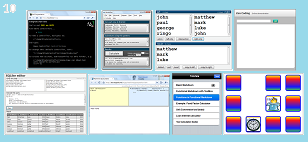
Coding While You Commute
I gave a talk at Brisbane's alt.net recently. You can download the slides here (1.5M zipped) or:
View the 97 slides online here
(use arrow keys to advance)
The theme was 'Coding on the Bus' -- the optimisations and approach I've used for cranking out a dozen mini projects on my daily commute in the last year.
A bus is a seemingly counter-productive environment. As I say in one of the slides:
If your workplace was like a bus: everyone would quit.
And yet I'm producing a lot of stuff while on that short ride, definitely pushing the limits of my abilities. So this talk was an attempt to extract all the lessons I could from this real life productivity success story.
TL;DR;
Here's the quick version:
#1 Internet is bad
#2 Keep it damn simple
#3 Value your tools/libraries/snippets
#4 Don't be a hero
The people at Brisbane Alt.Net are a very cluey bunch so it was great to get their input on the whole thing. They were a very attentive and helpful bunch. It was a massive buzz talking to them. I highly recommend it.

...And Introducing Higgins
Naturally, I wrote the slides about writing on the bus, while on the bus. I don't have Powerpoint on my bus netbook, so I also had to write my own html-based slide presenter, which I've codenamed Higgins.
I've since added higgins to codeplex. You can get Higgins from codeplex and use it yourself, if you're so inclined.

Visit higgins at codeplex
Download higgins here
'Eduardo' on Sat, 16 Apr 2011 04:57:45 GMT, sez: Higgins does not work in Firefox 4. Works in Chrome, but 90% images are chopped (can see only the top)
http://imgur.com/wUNaX
'lb' on Sat, 16 Apr 2011 07:55:13 GMT, sez: that's weird... this is tested (and developed primarily for) Chrome.
I'm not seeing what you see at all. I've just checked and made sure Chrome is up to date. Is your chrome up to date too?
'Artur' on Sat, 16 Apr 2011 08:17:29 GMT, sez: Same thing happening here with chrome 10.0.648.204. Images are chopped.
Cheers
'lb' on Sat, 16 Apr 2011 08:32:57 GMT, sez: Alright Artur and Eduardo, i think i know the issue (div.slides height of 100% isn't being applied... doctype related)
will address it in maybe 24 hours.
Don't use higgins for any keynote address in the meantime!
'Artur' on Sat, 16 Apr 2011 08:52:56 GMT, sez: Nice! I'm using a asus eee 10inch screen for the last week trying to do something similar.
Shut down almost every service running and VS express was still really really slow. Now I'm going to start using a 14-inch laptop but much faster (SSD + i5).
Don't you have any problems with your tools like missing auto completion or something like that?
'Dylan Beattie' on Sat, 16 Apr 2011 09:28:10 GMT, sez: I have the same "chopped image" problem - but it's not a Chrome thing; I think the uploads are wonky.
I just copied the image URL out of Chrome
http://secretgeek.net/higgins/image/dont_be_a_hero_beer_skull.jpg
and pasted it into Firefox - and with that raw image request, I'm still only getting the top 200px. And I really, REALLY want to know what the guy in this picture is doing...
'Doeke' on Sat, 16 Apr 2011 11:48:32 GMT, sez: Can't navigate in higgins with my iPad :-(
'lb' on Sat, 16 Apr 2011 12:51:21 GMT, sez: Alrighty Eduardo, Artur, Dylan and Doeke
Made some fixes:
Re-uploaded pictures.
Fixed html doc type (for all browsers).
Fixed key handling (for firefox).
Haven't tested with IPad, so please mail me one. Should be ok.
lb
'Eduardo' on Sat, 16 Apr 2011 14:39:03 GMT, sez: Everything works now. Thanks!
'lb' on Sat, 16 Apr 2011 14:50:42 GMT, sez: @Eduardo excellent news. I expected a fresh flurry of bugliness.
'mike' on Sun, 17 Apr 2011 19:05:06 GMT, sez: Brilliant!
But if I pull an all-nighter, I _look_ like a hero. (Even tho I'm not one.) If I use really complicated tools, I _look_ like a super-smart guy. (Even tho I'm not one.) If I create ruthlessly complex stuff, I _look_ like a super-smart guy. (See previous.) If I use the Internet, I _look_ ... well, like a guy with attention span of a mosquito. Got me there. :-)
PS Is there a way to permalink to an individual Higgins slide?
'lb' on Mon, 18 Apr 2011 04:53:12 GMT, sez: @mike
>Is there a way to permalink to an
>individual Higgins slide?
Yes indeed. The slide number is shown in the top left of each slide, and it is infact a permalink to a given slide.
A permalink is formed by just adding '#' plus the slide number to the end of the url.
e.g.
http://secretgeek.net/higgins/slides_alt_net.html#65
cheers
lb
'Paul Kohler' on Mon, 18 Apr 2011 22:29:44 GMT, sez: Leon,
Nice one, some good tips in there, especially getting rid of distractions and keeping it simple.
Have you tried SharpDevelop? I have used it a few times for the slightly more complicated projects (like Mini SQL Query) but its foot print is tiny and as an IDE is portable.
Thanks again, PK (fellow bus developer)
:-)
'Paul Kohler' on Mon, 18 Apr 2011 22:29:55 GMT, sez: Leon,
Nice one, some good tips in there, especially getting rid of distractions and keeping it simple.
Have you tried SharpDevelop? I have used it a few times for the slightly more complicated projects (like Mini SQL Query) but its foot print is tiny and as an IDE is portable.
Thanks again, PK (fellow bus developer)
:-)
'Paul Kohler' on Mon, 18 Apr 2011 22:30:19 GMT, sez: Leon,
Nice one, some good tips in there, especially getting rid of distractions and keeping it simple.
Have you tried SharpDevelop? I have used it a few times for the slightly more complicated projects (like Mini SQL Query) but its foot print is tiny and as an IDE is portable.
Thanks again, PK (fellow bus developer)
:-)
'Testking 646-205' on Sat, 28 Apr 2012 07:58:27 GMT, sez: This content would offer you understanding on some of the Dalet terms. Also, these Dalet terms have symbolism and it will all be mentioned in the following paragraphs.
|