 secretGeek.net
The 'less crashy' release of NimbleText
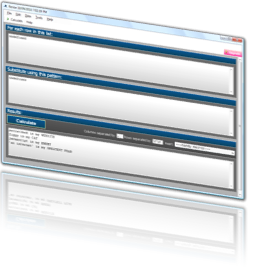
I put out a minor update to NimbleText the other day and called it the 'less crashy' edition.
Here's the backstory.
I've received intermittent reports for a while that NimbleText would crash on startup. But I couldn't reproduce the problem, and even the people reporting the problem could rarely reproduce the problem.
After I put out a major update on Mar 17 I got this crash report from Scott Hanselman, via twitter:
@secretgeek I was going to tweet about it, but it crashes on startup for me.
Now this is vexing. I was on a bus at the time, with limited resources. I asked for a stack trace. (And I asked nicely, not like this guy)
But unfortunately:
@secretGeek can't...doesn't even start. Watson's before the UI shows up.
...which is even more vexing. (For the younger readers: to 'Watson' is to crash, and refers to Dr Watson. Internally at microsoft, this nomenclature is still used.)
So I asked for system specifications from the crashee, and learnt:
@secretGeek win64, ie9. Visit site, download, run, crash
Note that twitter is sufficient for most of the pertinent information, provided the crashee in fizzbin savvy. Non-fizzbin customers often have to give you the full backstory of their life and times before confirming that they are indeed using a Windows computer.
Well I haven't used IE9 myself, so that's the 'odd man out' for me. In fact as a chrome user, and occasional firefox user, I haven't tried running it from IE at all. When you write a windows application you don't think that testing various browsers should be a part of your regime.
But I had an immediate counter claim from OJ:
@secretGeek @shanselman I have Win7 x64, IE9, and it works fine for me. Download, run, all good. Leon, are you using 3rd party native dlls?

NimbleText is a very simple application. It has *no* dlls. It does use obfuscation though, and this is where my suspicions immediately shifted (wrongly as it turns out).
Once I was at a real computer again I tried downloading the app from IE and running it. It worked fine for me. Perhaps I could re-badge it with the 'works on my machine' certification and be done with it? No, these gloomy ruminations aren't helpful.
I tried again and again, and the trick soon announced itself.
When you click on an exe, what do you do next? Do you choose "run" or "save"? Personally I always choose "save". This became ingrained behavior in me many years ago. So it never occurred to me to press 'run'. But consider the psychology of the crashee: Scott Hanselman has personally installed every single piece of software on the entire internet. To allow him to perform this incredible feat he is going to be taking shortcuts anywhere he can. So instead of downloading the file and then running it, I tried just pressing "run". Instantly: the app would hang, then crash. Bingo.
Once you've got a repro, everything is straightforward.
The line that failed was an Assembly.Load:
var a = Assembly.Load(assemblyShortName);Why does this fail when I run it from IE, but not when I download it and run it?
I assumed that some kind of security limitation didn't allow an Assembly Load in that scenario.
Rather than solve the problem of why the Assembly.Load failed, i looked at the code in question and found I could instead just use:
var a = Assembly.GetExecutingAssembly();This code does *not* fail when the app is executed directly in IE. So I updated NimbleText and put out the new, less crashy, release.
But the mystery still wasn't solved to my satisfaction. I wanted to learn exactly why the Assembly.Load would fail. If it was a security exception, why didn't it look like one? I googled to no avail. I binged without success.
Next I built a small console app that tried many variations around the problem. I found I could get an Assembly.Load to succeed if I used the full name of the assembly, like this:
var a = Assembly.Load("NimbleText, Version=1.2.0.29995, Culture=neutral, PublicKeyToken=null");What's the difference? I was expecting to need to use FUSLOGVW.exe the assembly binding log viewer, something I don't look on with any great excitement.
Then I noticed that when you run an app directly from IE it not only gets downloaded to temporary internet files, it also gets *renamed*. I tried this out locally and saw that renaming the file was the killer. Any old copy of NimbleText would crash if I renamed the executable.
The CLR assembly resolver expects that your assembly name is your assembly short name plus .dll or .exe. Hence, it's quite rude of IE to rename the file under you. So I blame IE. I'm not the first person to blame IE, and I won't be the last.
But I also blame myself, or rather my code. I'll no longer be using shortnames when trying to resolve an assembly. It's strong names or nothing as far as I'm concerned. As of now, I scoff at short names.
And, you should use NimbleText for all your text manipulating, data extracting, code generating needs. It boasts less crashiness.
Next → ← PreviousMy book "Choose Your First Product" is available now.
It gives you 4 easy steps to find and validate a humble product idea.